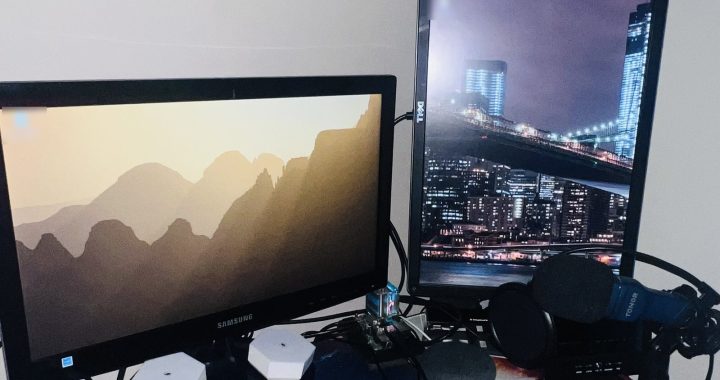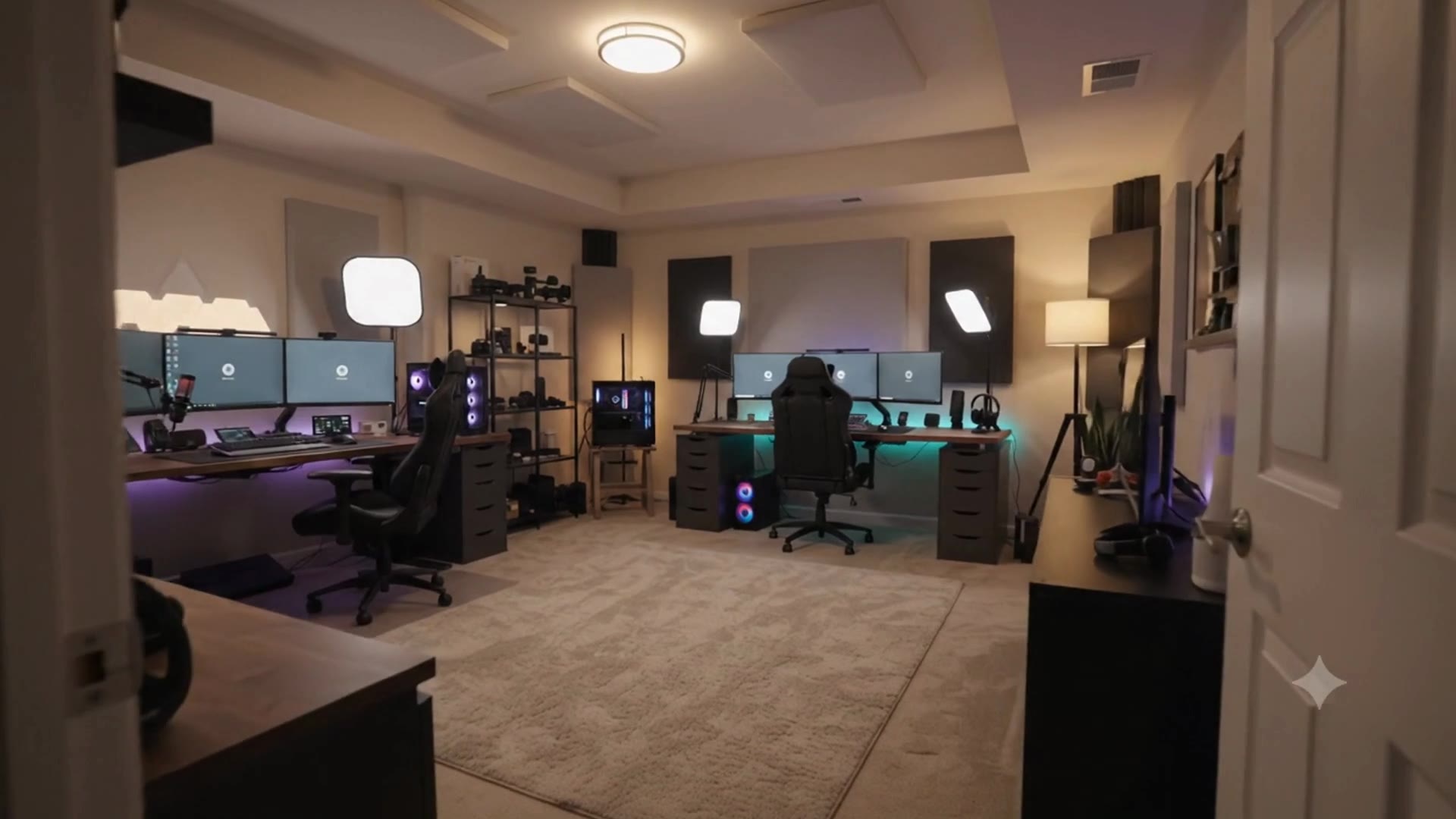
Welcome to my room.
Everything on this site starts here: the desk, the Raspberry Pis, the IT shelf, the camera corner and two very opinionated pets.
Where the testing happens.
I'm an SDET. This is where I build test frameworks, API checks and SQL drills, and where every post on this blog gets written.
This website runs on one of these.
A Raspberry Pi 4 in my home serves amirhesamtech.com through a Cloudflare Tunnel. Around it: a homelab for media, storage and automation.
The homelab, in pieces.
Mini servers, storage, Raspberry Pis and network gear. Tap the dots to see what each one does. The gear worth buying is in the Tech Deal Hub.
Meet Matteo & Maxy.
Matteo the dog runs security. Maxy the cat runs QA. Tap them to say hi.
Photography has its own home.
Camera, lenses, a softbox and light stands. My photography lives on its own website.
Now, the work.
Projects that run in this room, written up step by step.
The room video was made with an AI video generator.Hi, I'm AmirHesam. I build home servers, automations and testing tools — and show you how.
I'm a Software Development Engineer in Test (SDET). Outside work I turn Raspberry Pis, old laptops and a small Proxmox server into media servers, private cloud storage and automations, and I share the tricks on TikTok and Instagram. This website is one of those projects: it runs on a Raspberry Pi in my home.
- Self-hosted on a Raspberry Pi 4
- Open-source practice projects on GitHub
- Free browser tools and games, no sign-up
What I've built
Setups that run in my home or are published as code. Each card links to a repository, a video or a write-up.
This website, on a Raspberry Pi
WordPress on a Raspberry Pi 4 with Apache, MariaDB and Redis, reached through a Cloudflare Tunnel. A watchdog restarts anything that stops, and a full backup goes to a USB drive every week.
Read the full write-up →A home server on any mini PC
Turn a Mac mini, a Raspberry Pi or a spare mini PC into a home server with ZimaOS or CasaOS — a friendly dashboard for apps, storage and media.
Read the guide →A secure local server with free HTTPS
DuckDNS for a free domain name, Nginx Proxy Manager in front, and real certificates for the services running on the server on your desk.
Read the guide →Media server and network storage
Plex and shared network storage on a Raspberry Pi, so my media and backups live on my own drives instead of someone else's cloud.
Videos on TikTok →Proxmox and self-managing containers
One small machine running several virtual servers with Proxmox. Portainer manages Docker across servers from one screen, and Watchtower keeps containers updated and clears out old images.
Videos on TikTok →Linux on old hardware, and your own cloud
Bringing old laptops back with Linux, running different distributions on a Raspberry Pi or any spare computer, keeping them maintained — and setting up your own private "Google Drive" for your files.
Tips on Instagram →Chatbots
I built a chatbot step by step in a three-part TikTok series. H3samBot, on GitHub, is a photo and IT help bot that runs entirely in your browser — no server and no API key.
How H3samBot works →n8n workflows and CI/CD
Workflow automation with n8n for repetitive jobs, and GitHub Actions pipelines that run the tests on every push — the same habits I use as a tester.
My GitHub →Money Guild AI
The Python pipeline I wrote to draft articles for a WordPress blog. It checks every draft against a list of rules, and on this site nothing goes live until I approve it. Available as a kit if you want to run your own.
See how it works →What I'm building now
- CodeQuest — a game that teaches coding as you play. It's private on GitHub while I finish it, and it will launch here soon.
- A calculator app — also private on GitHub for now, and launching soon.
- LifeHub: DailyMatrix — one app for everyday life: a habit tracker, money tools (bills, tax, tips, discounts and conversions), "what should I cook today?" meal ideas, to-dos and important dates, a package and subscription tracker, and sounds for sleep, breathing and focus.
Practice projects for testers and developers
Free repositories you can clone, run and learn from, each with a step-by-step write-up here — useful if you're getting into test automation or want ready-made examples for your own projects.
- Java test automation starterSelenium, Cucumber BDD, REST Assured, JDBC and Apache POI in one framework
- API testing with PostmanGET, POST, PUT, PATCH and DELETE against a local server, then run in CI
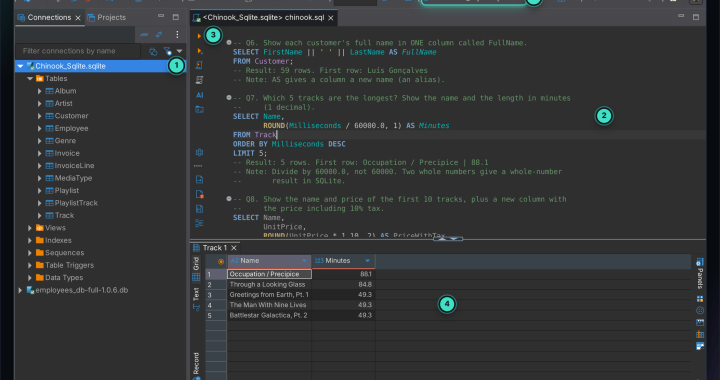
- SQL practice labTwo real databases, one free tool and 100 questions with tested answers
- Your own MySQL serverXAMPP and DBeaver, then practise on a real HR database
- Java Streams, one file per operation22 short, runnable examples
- Same tasks, four languagesJava, Python, JavaScript and TypeScript side by side
Free tools and games
Small things I made that run in your browser. No account, nothing to install.
Browser tools
A business expense tracker with CSV export, a weekly content calendar, an earnings and cost calculator and a niche planner. The trackers keep your data in your own browser.
Open the tools →Arcade games
Neon Snake, 2048, Breakout, Star Blaster, Block Drop and more — quick games for a short break, playable on a phone or a laptop.
Play the games →Guides to start with
Step-by-step guides to automation and the tools around it. Every guide has a date and a way to report mistakes.
- Connect ChatGPT to Google Sheets without codingA Zapier tutorial with troubleshooting
- Zapier for beginnersAutomate your first task
- Smart home automation for beginnersPlanning and installing a first setup
- Two-factor authentication on every deviceLock down your accounts
- Transcribe videos and add subtitles with AITools and a simple workflow
- Email automation workflowsFor small businesses
Gear
The Tech Deal Hub is a short list of gadgets and accessories for a desk, a homelab or a phone. Its links go to Amazon — as an Amazon Associate I earn from qualifying purchases.
How this site works
- The projects, videos, code and photos are my own work.
- The guides on the blog are drafted with AI writing tools by the pipeline above, checked automatically for unsupported claims, and published only after I approve them. In September 2026 the older guides were revised: unsupported statistics were removed and key facts re-checked against the providers' own pages.
- Something wrong or out of date? Tell me and I'll fix it.
- The coins and levels in the Rewards panel are a small game for members. They have no cash value, and you never earn them for viewing or clicking ads, or for how many pages you open.
Follow along
New builds and tricks go to TikTok and Instagram first. Photography lives on AHB Visuals.