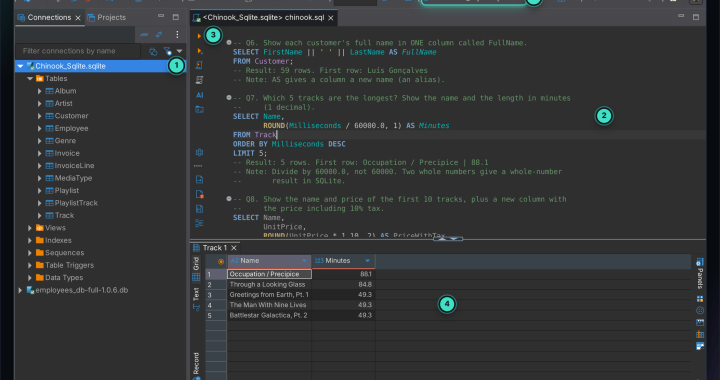
To practise SQL you need a database you’re allowed to play with. Online sandboxes reset when you close the tab, and cloud databases want a credit card for something you’re only learning with. So run one on your own computer: XAMPP gives you a MySQL-compatible server with an installer and a Start button, and DBeaver gives you a place to write queries and see the results. Both are free and run on Windows, macOS and Linux.
This is the blog version of my MySQL + DBeaver + XAMPP guide on GitHub. It goes from nothing installed to running real queries against a full HR database with employees, departments, jobs and salaries.
What you’ll install
| Tool | What it does here | Download |
|---|---|---|
| XAMPP | Runs the database server on your machine (plus Apache and phpMyAdmin) | apachefriends.org |
| DBeaver Community | Where you write and run SQL and browse tables | dbeaver.io |
| IntelliJ IDEA or VS Code (optional) | Run the same queries without leaving your editor | — |
One thing worth knowing: XAMPP’s “MySQL” is actually MariaDB, the drop-in replacement for MySQL. For learning SQL it behaves the same, and every tool connects to it as MySQL.
Step 1: Start the server
Open the XAMPP Control Panel and click Start next to MySQL (and Apache if you also want phpMyAdmin). When the names turn green, the server is running on port 3306.
Step 2: Connect DBeaver
- Click New Database Connection and choose MySQL.
- Host
localhost, port3306, userroot, and leave the password empty — that’s XAMPP’s out-of-the-box setting. - If DBeaver offers to download the driver, click Download, then Test Connection and Finish.
- Right-click the connection → Create → New Database, name it (for example
mydatabase), then right-click it → SQL Editor → Open SQL script.
A root account with no password is fine on your own laptop for practice — and only there. Never open that port to a network you don’t control.
Step 3: Your first table
CREATE TABLE Persons (
    PersonID  INT,
    LastName  VARCHAR(255),
    FirstName VARCHAR(255),
    Address   VARCHAR(255),
    City      VARCHAR(255)
);

INSERT INTO Persons (PersonID, LastName, FirstName, Address, City)
VALUES (12, 'Johnson', 'David', '123 St', 'Atlanta');

SELECT * FROM Persons;
Run each statement with Ctrl + Enter. The columns you list in an INSERT must exist in the table — copying an example written for a different table is the classic way to get an “unknown column” error.
No DBeaver? Click Admin next to MySQL in XAMPP to open phpMyAdmin in your browser. Its SQL tab runs queries, Insert adds rows and Structure changes columns.
Step 4: Load a real HR database
Three rows you typed yourself won’t teach you joins. For realistic practice, load the HR schema from nomemory/hr-schema-mysql: regions, countries, locations, departments, jobs, employees and job history, with the relationships between them. Open its .sql file in a DBeaver SQL editor connected to your database and run it as a script (Alt + X) — the tables are created in the right order and filled with data.
Step 5: Queries to work through
These are from the practice set in my guide, moving from simple to interview-style. Note that MySQL comments start with -- (followed by a space) or #, not //.
-- One employee by id
SELECT * FROM employees WHERE employee_id = 110;

-- Every different first name
SELECT DISTINCT first_name FROM employees;

-- Who earns less than 6000, and their email
SELECT first_name, email FROM employees WHERE salary < 6000;

-- BETWEEN includes both ends
SELECT * FROM employees WHERE employee_id BETWEEN 100 AND 120;

-- Pattern matching: starts with B / exactly 5 letters starting with B / second letter is a
SELECT * FROM employees WHERE first_name LIKE 'B%';
SELECT * FROM employees WHERE first_name LIKE 'B____';
SELECT first_name FROM employees WHERE first_name LIKE '_a%';

-- How many work in one of two jobs
SELECT COUNT(*) FROM employees WHERE job_id IN ('IT_PROG', 'SA_REP');

-- Salary summary per department, ignoring employees without one
SELECT department_id, SUM(salary), COUNT(*), MAX(salary), MIN(salary), ROUND(AVG(salary))
FROM employees
WHERE department_id IS NOT NULL
GROUP BY department_id
ORDER BY MAX(salary);

-- Departments with more than 5 people
SELECT department_id, COUNT(*) FROM employees
GROUP BY department_id
HAVING COUNT(*) > 5;
A few that come up in interviews:
-- First names that appear more than once
SELECT first_name, COUNT(*) FROM employees
GROUP BY first_name
HAVING COUNT(*) > 1
ORDER BY 2 DESC;

-- The second-highest salary, without hard-coding anything
SELECT MAX(salary) FROM employees
WHERE salary < (SELECT MAX(salary) FROM employees);

-- Head count per department name, including empty departments
SELECT d.department_name, COUNT(e.employee_id)
FROM departments d
LEFT JOIN employees e ON d.department_id = e.department_id
GROUP BY d.department_name;

-- Neena's manager, using a subquery
SELECT first_name, last_name FROM employees
WHERE employee_id = (SELECT manager_id FROM employees WHERE first_name = 'Neena');
Notice the head-count query counts e.employee_id rather than *: with a LEFT JOIN, a department with nobody in it still produces one row, and COUNT(*) would report it as 1 instead of 0.
And one surprise for people coming from other databases: with MySQL’s default settings, text comparisons ignore case, so WHERE first_name = 'david' also finds David.
Running the same queries in IntelliJ or VS Code
- IntelliJ IDEA: open the Database tool window, click + → Data Source → MySQL, enter
localhost,3306,rootand an empty password, download the driver, Test Connection, then pick your schema and run queries in the console. - VS Code: install a MySQL extension, add a connection with the same four values, right-click your database → New Query, save the file and choose Run Query.
Common problems
- MySQL won’t start in XAMPP. Something else is using port 3306 — often another MySQL installation. Stop it, or change the port in XAMPP’s MySQL config.
- “Access denied for user root”. Someone set a root password. Use it, or reset it in phpMyAdmin.
- “Unknown column”. The column list in your
INSERTorSELECTdoesn’t match the table — check it under Columns in DBeaver. - Tables seem empty after loading the HR script. Make sure the editor was connected to your database (the box in DBeaver’s toolbar) when you ran it.
Frequently asked questions
Do I need a server to practise SQL?
Not necessarily. If you only want to practise queries, my SQL practice lab uses single-file SQLite databases and 100 questions with checked answers — no server at all. XAMPP is the right choice when you want to learn MySQL itself, or test an app that talks to it.
Is XAMPP safe to leave running?
Its defaults are meant for local development. Stop it when you’re done, and don’t expose it to the internet.
Why do testers learn this?
Because checking the database is part of testing. An SDET often verifies that what the screen shows matches what was actually saved — the same kind of query my Java test framework runs over JDBC.
The full guide, with a screenshot of every step, is on GitHub.