Updated September 2026. Bank procedures differ by country — where this guide says “contact your bank”, use the number printed on your card.
Almost all money lost online now is handed over by the account holder, not stolen by breaking into the account. That changes what security means: strong logins still matter, but recognising a convincing lie matters more. This guide covers both — locking the account down, paying safely, spotting the scams that target bank customers, and what to do in the first hour if something goes wrong.
Stage 1: Lock down access
- A unique password for your bank, stored in a password manager. Never one you have used elsewhere — see our guide to password managers.
- Two-factor authentication on the bank and on the email address attached to it. Email is the master key: whoever controls it can reset most things. The 2FA guide has the steps.
- Prefer the bank’s own app approval or a passkey over text message codes, which can be intercepted through SIM-swap fraud.
- Turn on transaction alerts for every card payment and transfer. Speed of detection is what limits losses.
- Protect the device: a screen lock, automatic updates, and apps only from the official store.
Stage 2: Pay in ways that protect you
| Method | Protection if it goes wrong | Use it for |
|---|---|---|
| Credit card | Strongest — chargeback rights and, in many countries, joint liability with the seller | Anything expensive, anything from an unfamiliar seller |
| Digital wallet (Apple Pay, Google Pay) | Card number never reaches the merchant; card protections still apply | Everyday in-person and online payments |
| Debit card | Weaker — the money leaves your account first | Routine, low-risk spending |
| Bank transfer | Weakest — hard to reverse once sent | People and businesses you already know |
| Gift cards or crypto | None | Nothing. A request to pay this way is a scam, every time |
Two habits worth keeping: check the address bar before typing card details, and use a virtual or single-use card number if your bank offers one for sites you do not trust.
Stage 3: Recognise the scams aimed at bank customers
- The “safe account” call. Someone claiming to be your bank’s fraud team says your account is compromised and you must move money to a new account. No bank ever asks this. Hang up and ring the number on your card from another phone if you can.
- Verification codes. A code sent to you is for you alone. Reading it to a caller hands over the account — and the caller will have a very good reason why they need it.
- Payment redirection. A supplier or tradesperson emails new bank details before a big payment. Confirm by phone on a number you already had.
- Refund and overpayment scams. “We refunded too much, please send the difference back.” The original payment will be reversed later.
- Fake bank apps and adverts. Install from the official store, and reach your bank through a bookmark rather than a search result.
- Remote access. Nobody legitimate needs to control your computer to fix a payment.
Our guide to spotting phishing attacks covers the message-based versions in more detail.
What your bank will never do
- Ask for your full password, PIN or a verification code.
- Tell you to move money to a “safe” or “holding” account.
- Ask you to install remote-access software.
- Pressure you to act before you can hang up and call back.
- Ask you to keep a transaction secret from staff or family.
Stage 4: Spot problems early
- Read the alerts rather than dismissing them — that is what they are for.
- Check statements monthly, looking for small amounts as well as large ones. Fraudsters test cards with tiny charges first.
- Watch subscriptions you no longer use; recurring charges are the ones people miss for years.
- Check your credit report periodically for accounts opened in your name, and consider a credit freeze if your identity details have leaked.
The first hour after something goes wrong
- Call the bank using the number on your card. Ask them to stop the payment, freeze the card and secure the account. Reporting quickly materially affects whether money can be recovered.
- Change the password for the bank and for the email address linked to it, from a device you trust.
- Check for changes you did not make: new payees, forwarding rules in your email, altered phone numbers or addresses.
- Write down what happened — times, numbers, what was said. Claims are decided on the detail.
- Report it to your country’s fraud reporting service, and ask your bank about reimbursement rules where you live.
- Watch the account closely for a month. Fraud often comes back through a second route.
Frequently asked questions
Is online banking safe?
Yes, and safer than most alternatives. The weak point is rarely the bank’s systems; it is someone persuading a customer to authorise a payment or hand over a code.
Is a banking app safer than a browser?
Generally yes. Apps are harder to impersonate than a web page, they use the device’s own security, and they support approval prompts instead of text codes. Download only from the official store.
Should I use public Wi-Fi for banking?
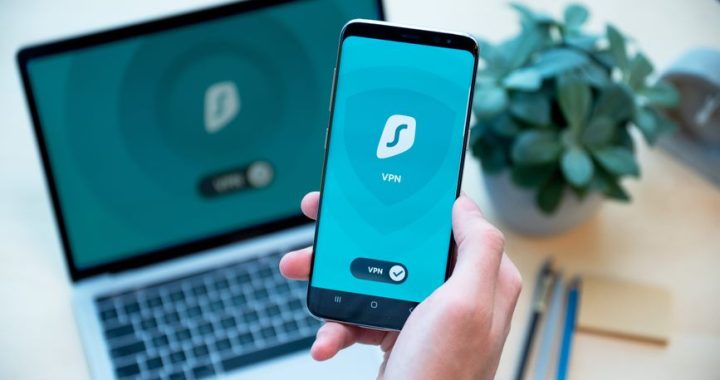
It is far less risky than it used to be, because banking traffic is encrypted — but mobile data or a trusted network is still the better choice, and a VPN helps on networks you do not control.
Will my bank refund me if I am scammed?
It depends on the country, the payment method and whether you authorised the payment. Card payments carry the strongest protections; authorised transfers are the hardest to recover, though several countries now require reimbursement in defined circumstances. Report immediately and ask your bank directly.
Related guides
- How to spot phishing attacks
- Two-factor authentication setup guide
- Password managers for beginners
- What to do when your data is exposed in a breach