Managing contracts doesn’t have to drain your time or budget. Small business owners spend hours reading dense legal documents, extracting key terms, and organizing information—work that AI tools can now handle in minutes. This guide walks you through analyzing contracts with AI, comparing tools that actually deliver ROI for small teams.
Why Contract Analysis Matters for Small Businesses
Every contract carries risk. Missing a renewal date, misunderstanding payment terms, or overlooking liability clauses can cost thousands. Yet most small business owners lack legal teams to review every document. AI contract analysis tools bridge this gap by automatically flagging important terms, deadlines, and obligations.
The real benefit? Time savings that directly impact your bottom line. What takes a lawyer three hours can now take an AI tool three minutes.
Step 1: Choose Your AI Contract Analysis Tool
Free Options for Getting Started
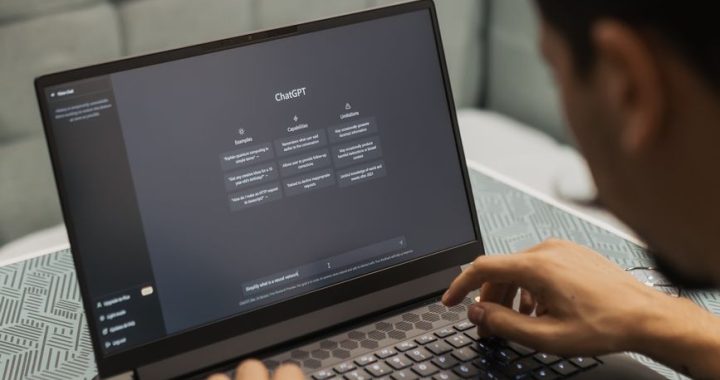
- ChatGPT (Free) – Upload contract PDFs and ask specific questions. Best for: Quick term review and summaries. Limitation: Context window limits for very long documents.
- Google Docs + Gemini – Paste contracts into Google Docs and use the AI helper. Best for: Simple extraction tasks. Limitation: Less specialized than legal tools.
- Notion AI – If you use Notion, add AI summaries directly to your contract database. Best for: Organization-focused teams. Limitation: Requires Notion workspace.
Paid Tools Worth the Investment
- DocuSign eSignature + AI – reviews agreements before signature, priced per small team (check current plans). Best when contracts already flow through DocuSign.
- Lawgeex – legal-specific AI review, priced for teams handling contracts in volume rather than occasionally.
- Cased – contract summarising and risk scoring on a monthly plan, useful for mixed document types.
Step 2: Extract Data from PDFs with AI
Most contracts live as PDFs. Here’s how to get AI to pull useful information:
Method 1: Direct Upload and Prompting
Open ChatGPT, Claude, or your chosen tool. Upload the contract PDF. Ask specific questions:
- “What are the renewal terms and dates?”
- “What payment amounts are due and when?”
- “What termination clauses exist?”
- “List all liability limits mentioned.”
What this is good at: pulling the terms that matter out of a long agreement in seconds — renewal dates, notice periods, price escalators, liability caps. Auto-renewal clauses are the classic find, because they are easy to skim past and expensive to miss.
Method 2: Create an AI Extraction Template
Design a checklist of information you need from every contract:
- Party names and addresses
- Service/product description
- Start and end dates
- Payment schedule
- Renewal conditions
- Termination rights
- Confidentiality clauses
- Liability caps
Paste this template with your contract and ask the AI to complete it. Consistency makes data easier to track across multiple contracts.
Step 3: Use an AI Document Summarizer
Long contracts overwhelm busy owners. AI summarizers distill 20-page documents into 2-minute reads.
How to Get Quality Summaries
Instead of asking “Summarize this,” be specific:
- “Summarize this contract in 150 words, focusing on costs and deadlines.”
- “What are the top 5 risks for our business in this contract?”
- “Compare the obligations of both parties in bullet-point format.”
Pro tip: Ask the AI to use different formats for different audience members. Your accountant needs financial details. Your operations manager needs timeline details. Same contract, different summaries, saved time for everyone.
Comparing Tools: ROI for Your Team
Here’s what a typical small business spends:
- No AI: your own reading time per contract, multiplied by your hourly cost
- With a free AI tool: minutes to extract the terms, then your own read of the clauses it flags
- With a paid contract tool: faster still and more consistent, against a monthly subscription — worth it once contracts are regular rather than rare
The paid tool pays for itself in the first month for businesses reviewing multiple contracts regularly.
Best Practices for AI Contract Analysis
- Never rely solely on AI for legal decisions. AI is an assistant, not a lawyer. Use it to flag issues for professional review.
- Always verify extracted numbers. Double-check dollar amounts and dates against the original document.
- Keep organized records. Store AI summaries alongside originals in a shared drive or contract management tool.
- Build a template library. Save successful prompts and summaries to reuse for similar contracts.
- Test tools with non-critical contracts first. Get comfortable before analyzing major vendor agreements.
Start Analyzing Contracts Today
You don’t need expensive software to start. Open ChatGPT right now, upload a contract you’re reviewing, and ask it to extract the three most important terms. You’ll see immediately how much time AI saves. From there, decide if a paid tool makes sense for your volume.
Small business owners who automate contract analysis gain a competitive advantage: faster decisions, fewer missed obligations, and more time focused on growth instead of paperwork.