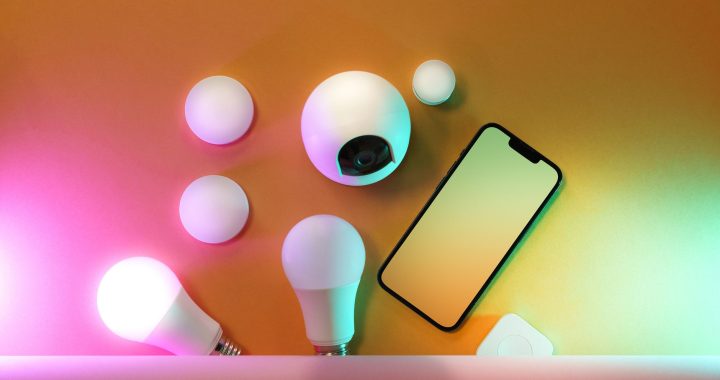
Are you ready to transform your home into a smart home but feel overwhelmed by technical jargon? This guide strips away the complexity and shows you exactly how to set up your first smart home devices in just 30 minutes. We’ll focus on what you actually need versus what’s nice-to-have, and help you choose the right ecosystem for your lifestyle.
What Is Smart Home Setup for Beginners?
Smart home setup for beginners means installing connected devices that you can control remotely or through voice commands. Unlike complicated wiring projects, modern smart home technology requires almost no technical skills. Most devices work wirelessly and plug into standard outlets or replace existing switches.
The key is starting simple. You don’t need to automate your entire house on day one. Pick one or two devices, learn how they work, then expand from there.
Choose Your Ecosystem First (This Matters)
Before buying anything, pick your smart home ecosystem. This is the “brain” that all your devices talk to. Three popular options work great for beginners:
Amazon Alexa
- Most device options available
- Most affordable entry point
- Works with the largest number of third-party brands
- Best for: Budget-conscious beginners who want maximum flexibility
Google Home
- Excellent voice recognition
- Great if you already use Google services
- Solid device selection at reasonable prices
- Best for: People who want natural conversation with their assistant
Apple HomeKit
- Strongest security and privacy
- Seamless integration with iPhones and iPads
- Fewer device options, higher price points
- Best for: Apple ecosystem users who prioritize privacy
Pro tip: You can always switch ecosystems later, but starting with one prevents confusion for beginners.
Your 30-Minute Smart Home Setup Timeline
Minutes 1-5: Buy Your Hub
You need a central hub—a device that coordinates everything. This could be an Echo Dot (Alexa), Google Nest Mini (Google), or HomePod mini (Apple). Choose based on the ecosystem you selected. These are affordable (typically $30-$100) and handle all the heavy lifting. Don’t buy smart devices yet; start here.
Minutes 6-15: Set Up Your Hub
Plug in your hub and follow the app setup process. Download the corresponding app (Alexa, Google Home, or HomeKit) to your smartphone. Connect it to your WiFi network. Answer a few questions about your home location. You’ll be done faster than you expect.
Minutes 16-20: Choose Your First Device
Pick ONE device for your first purchase. We recommend a smart light bulb or a smart plug. Here’s why:
- Smart bulbs require zero installation—just screw them in like regular bulbs. You can control brightness and color. Great for learning voice commands.
- Smart plugs turn any device (lamp, fan, coffee maker) into a smart device. Just plug it in and control the outlet remotely.
Skip smart switches for now. They require turning off your power and replacing switches—too complex for a first device.
Minutes 21-30: Install and Test
Install your device following the package instructions. Open your hub’s app, add the new device, and assign it a name like “Living Room Light.” Test it with voice commands: “Alexa, turn on the living room light.” You now have a functioning smart home.
Smart Home Installation Guide: What Beginners Actually Need
Wiring basics for beginners: You don’t need any. Modern smart devices are wireless or plug directly into outlets. No electrical knowledge required. This is why smart home setup for beginners is so accessible.
The only exception: If you want smart switches later, those require turning off power to that switch during installation. But save that for month two or three after you’re comfortable.
How to Install Smart Home Devices: Common Mistakes to Avoid
- Buying too many devices at once: One or two is perfect for learning. Add more after you understand the basics.
- Expecting perfect WiFi everywhere: Smart devices need decent WiFi. If your signal is weak in certain rooms, move your router closer or invest in a mesh WiFi system later.
- Mixing ecosystems: Some devices work with multiple platforms, but beginners get confused managing two hubs. Stick with one for now.
- Ignoring privacy settings: Review your hub’s privacy settings. You control what data is stored and shared.
Expand Your Smart Home Gradually
After your first successful device, you’re ready to add more. Common second purchases include smart speakers for other rooms, smart thermostats for energy savings, or additional smart bulbs. Each addition takes just minutes since your ecosystem is already set up.
Start Your Smart Home Today
Smart home setup for beginners is genuinely simple when you focus on essentials first. Choose your ecosystem, buy a hub, install one device, and celebrate your smart home success. You’ve mastered the hardest part—getting started.